 and select Use by Default (1).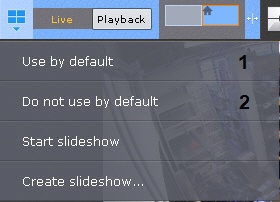
You can set a default layout to be displayed after you launch the Web Client.
To set the default layout, do the following:
and select Use by Default (1). Now, the current layout is assigned as default.
To assign another layout as default, repeat the steps above.
To make the system operate without a default layout, click and select Do not use by default (2).