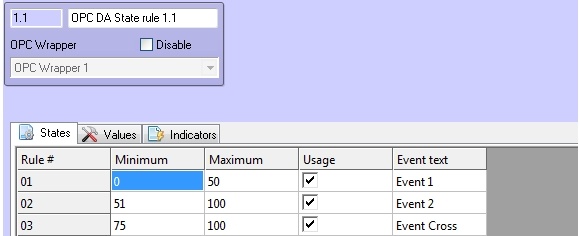
To configure this rule specify the following parameters on the States tab of the OPC DA State rule object’s settings panel: in the Minimum column specify the start of interval, in the Maximum column – the end of interval, set the Usage checkbox to activate the interval, in the Event text column enter the message which will be displayed while taking the element a value from the specified range. It is possible to specify at most 10 intervals.
| If the value of element is involved into several intervals then it will have several states (multistate). |
To save changes click the Apply button.