This report shows which operators assigned which statuses to the POS events. To generate a report by operator, do the following:
- Select the Report by operator (see Selecting a type of general POS report).

Select the POS operators by whom it is necessary to display a report by setting the corresponding checkboxes in the Operators list (1). Click All to select all operators from the list. Click None to deselect. Click Show all to expand the operators structure. Click Hide all to hide the operators structure.
- From the Event filters drop-down list (2), select an event filter that should be used to generate the report. If All is selected, then event filters are not considered and the report is created by all events.
- From the Receiving data period drop-down list (3), select the time period for which the report should be created. If the Custom period is selected, enter the date of start and end periods for which the report should be created in the from and to fields using the Calendar tool. Click the
 button near the corresponding field to use the Calendar tool.
 - From the Status group drop-down list (4), select the status group of those events that should be displayed in the report. If All is selected, the report will include all POS events regardless of their status.
- Click the Execute button (5).
Example of a report by operator:
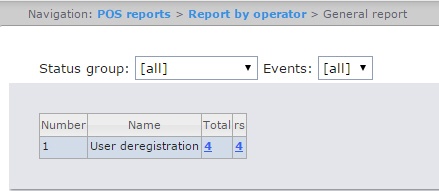
This is a summary table of events by the POS operators. The Total column displays the total number of events for each type of event. The column called by the POS operator name displays the number of events by their type processed by that operator (changed the status).
In order to save a summary report by operator in.xls format, click the Save button.