button.
Axxon One enables you to work with virtual inputs, which can change their states (Closed/Open) and generate a corresponding event upon receiving an HTTP request.
To create and configure a virtual input, complete the following steps:
button.The IP Server object is automatically created to host four virtual inputs.
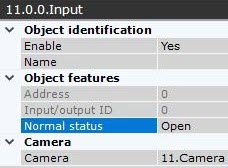
For a virtual Input to work correctly, use the Open circuit.
|
You can configure virtual inputs in the same way as real ones. Also you can specify the time-out when virtual inputs reset their status in the Alarm Expiration Time field of the IP Server object. It ranges from 0 to 100.

This setting is applied only after you disable and enable the input again.
To switch virtual inputs, the HTTP request is used (see Switch between virtual IP device states (HttpListener)).
The requests can be handled by macros (see Execute web query). Create two macros for each virtual input: to switch to Closed state and to switch to Open state.
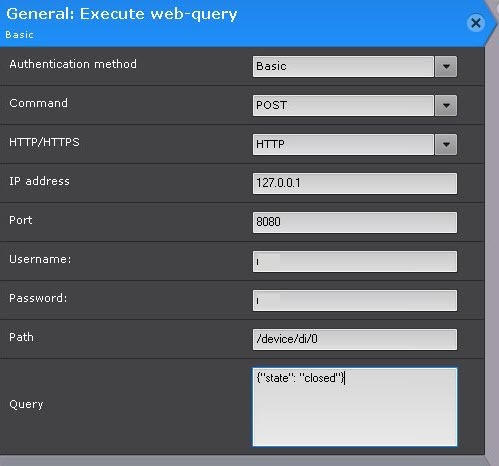
You can run macros and requests from Dialog board (see Configuring a Dialog Board).
You can add virtual inputs to maps just as you do with real ones (see Adding inputs and outputs).
The color of the virtual input on the map changes depending on its state (see Displaying device status).