|
|
|
A remote archive can only be represented as a file on one or several remote storages.
The following protocols of remote storages are supported:
The choice of protocol depends on the configuration, security policies, and capabilities of the NAS.
To create a remote archive:
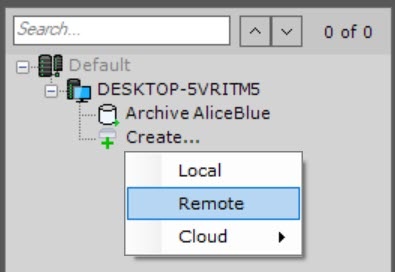
Object, if you need to be able to change the size of an archive volume without restarting the system (see General information about the Round-robin algorithm), as well as to encrypt an archive volume (see Encrypting a volume of an object archive).
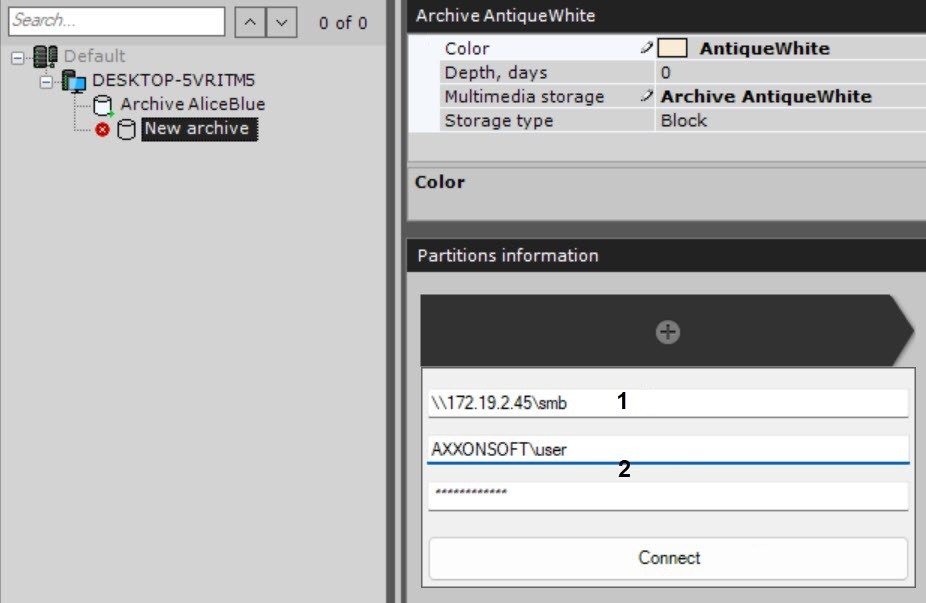
Enter a path to a remote storage, where an archive must be located (1).
You must enter the username with a prefix of the domain (domainname\username) or name of the computer (computername\username) where this account is located. |
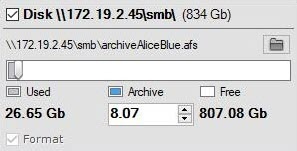
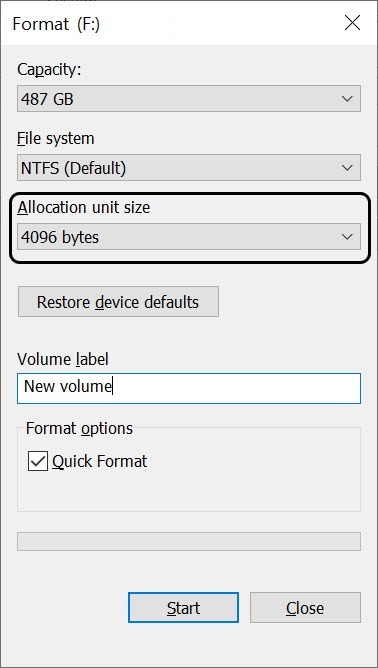
If you need to create an archive file larger than 16 TB, the cluster size for the NTFS file system must be set to a value greater than 4 KB when formatting the disk in Windows OS. To do this, right-click the disk to which the archive file will be written, and in the menu that opens, select the Format... item.
In the Format window that opens, from the Allocation unit size list, select a cluster size greater than 4 KB and click the Start button.
|
To change the archive folder in the remote storage, click the |
 button.
Creation of a remote archive is complete. After the archive is created, the status of the remote storages, where the archive is located, is displayed.

! Only one remote user can connect to the remote storage at a time. This is a limitation of Windows OS !
Attempting to connect multiple users at the same time can result in connection errors and storage malfunctions. You can check the active user connections in the Partitions information section.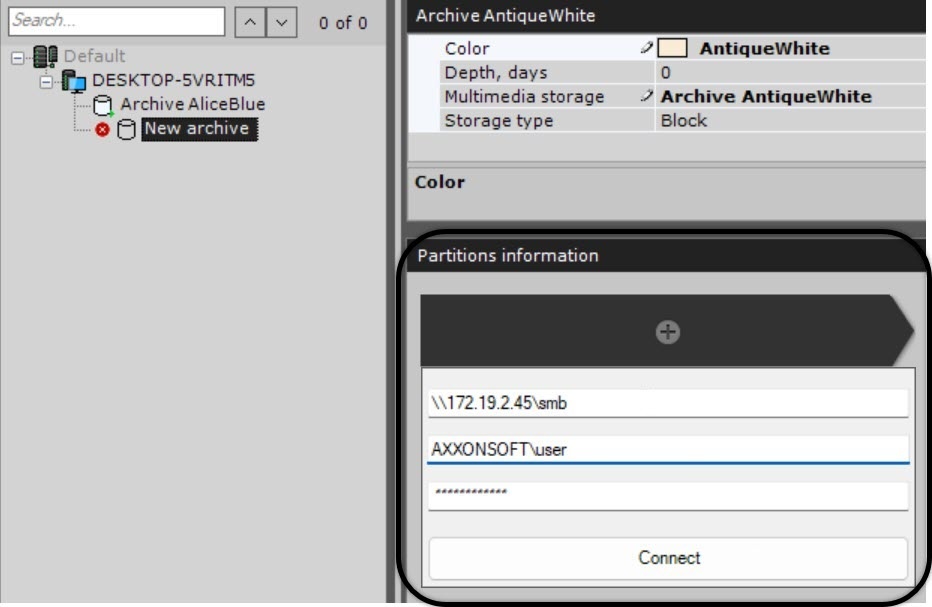
If this error occurs, disconnect the previous user from the device on which Axxon One is installed in one of the following ways:
If you plan to connect several users from this computer to a remote archive, do the following:
If you need to add several remote archives using different remote user accounts, do the following:
In a failover system with a backup server (see Setting up a configuration with the backup Server), the hosts file on the backup server must include recordings from all servers if domain names differ on each server. |

 button and select the required location.