 button on the right border of the surveillance window. The button may not be available at certain display settings of surveillance window (see Configuring the display of the surveillance window).
 button (see Customizing an Interactive Map).
In Immersion mode, video from a selected camera is displayed on top of the map image.
If you created links between video and the map (see Configuring cameras in immersion mode), an angle will be selected so that objects in the video match the objects as depicted on the map.
If you didn't create links, the map is displayed in such a way so that the video is located in the specified FOV of the camera on the map. The FOV is directed upwards.
You can go to immersion mode in two ways:
button on the right border of the surveillance window. The button may not be available at certain display settings of surveillance window (see Configuring the display of the surveillance window). button (see Customizing an Interactive Map).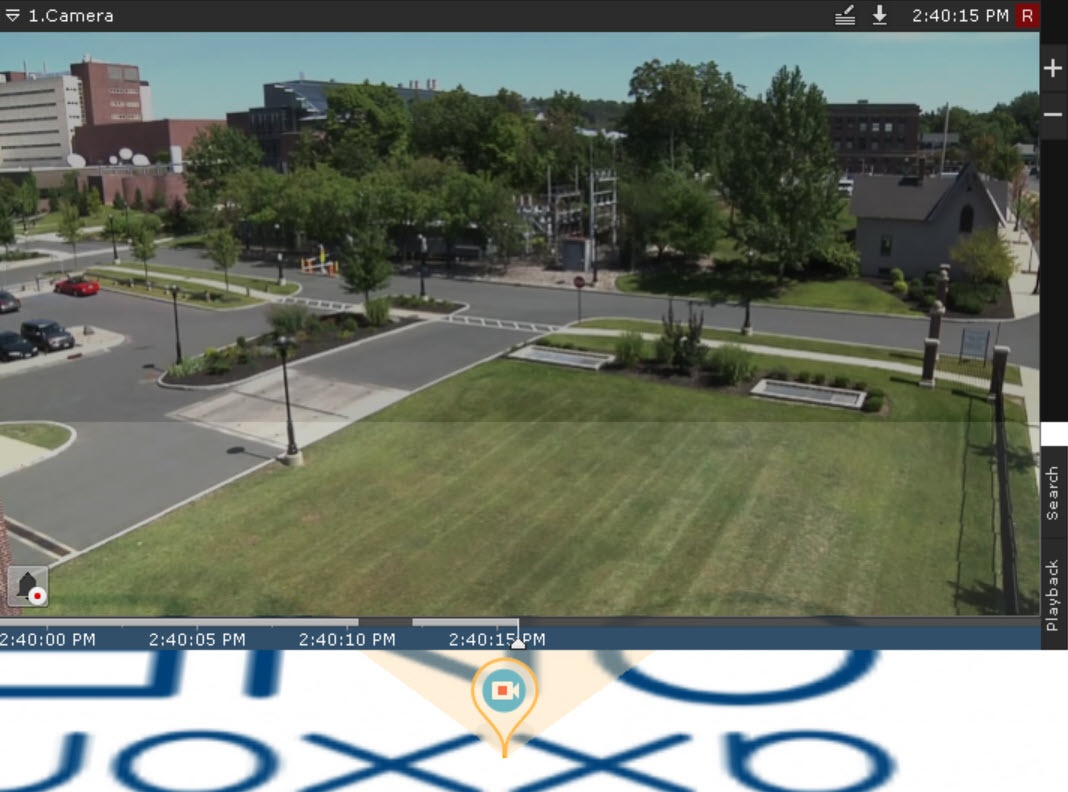
In Immersion mode, you can view video from only one video camera at a time.
To select another camera, do one of the following:
To exit Immersion mode, do one of the following:
 button.
 button.
|