The external map server corresponds to the source from which the Axxon PSIM map layer receives images for the layer background.
To configure the external map server, do the following:
- Create the Map server object (1) on the basis of the Computer object on the Hardware tab of the System settings dialog window.
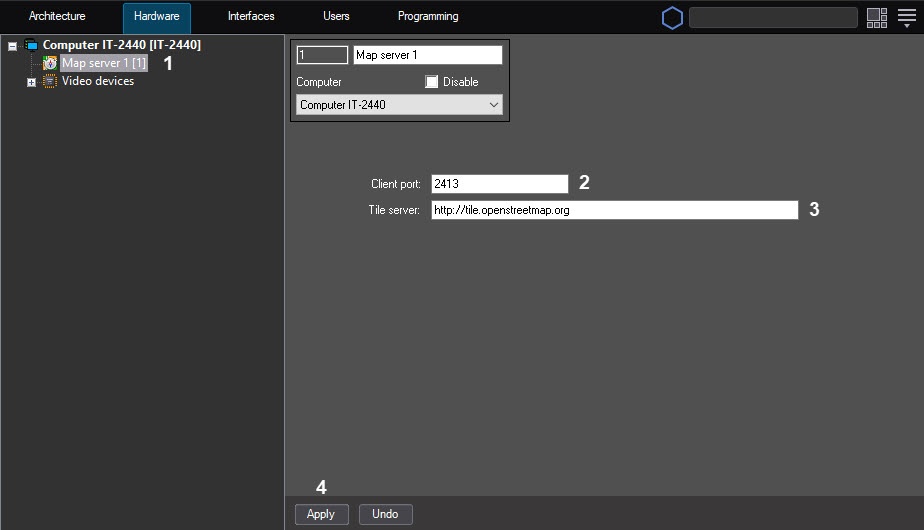
- In the Client port field (2), enter the port value. By default, the port value is 2413.
- In the Tile server field (3), enter a link to the external map. By default, a link to the OpenStreetMap free map is set http://tile.openstreetmap.org.
- Click the Apply button (4).
When you create a layer, select the map server as the background, see Creating the layers of the interactive map.
Configuring the external map server is complete.