
Repeat steps 2-5 for all required lines.
| To add a line to the table, press the "down" key on the keyboard. |
As a result, the messages that include the entered line are highlighted in the debug window.
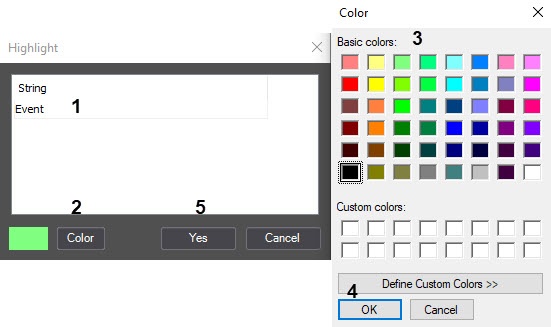
To configure message highlighting in the debug window, do the following:
Repeat steps 2-5 for all required lines.
| To add a line to the table, press the "down" key on the keyboard. |

Highlighting messages is complete.