|
|
|
Each role has different access settings for users. To configure a cloud role, go to the System settings tab → Cloud permissions.
To create a role:
 button.
 button to view all permissions. You can apply the following permissions to a cloud role:
| Permission | Description | |
|---|---|---|
| The Devices tab | ||
| Streaming: Manage | Allows you to use the streaming and get the streaming address in the Devices tab → Streaming. Without this permission, the Streaming section isn't available | |
| Manage cloud cameras and bridges | Allows you to manage cloud cameras and bridges (add, rename, delete, and so on). Without this permission, you can't manage cloud cameras | |
| Domain creation | ||
| Create Axxon PSIM domain | Allows you to create an Axxon PSIM domain. Without this permission, the Create Axxon PSIM domain button isn't displayed when you create a domain | |
| Create cloud domains | Allows you to create cloud domains with the necessary parameters. Once you create a domain, you can add devices to it. Without this permission, the Create AxxonNet domain button isn't displayed when you create a domain | |
| Connect remote domains | Allows you to bind a domain by token. Without this permission, the Bind button isn't displayed when you create a domain | |
| List settings | ||
| Manage lists of faces | Allows you to manage lists of faces that the user creates. Without this permission, you can't create and edit lists of faces | |
| Manage lists of license plates | Allows you to manage lists of license plates that the user creates. Without this permission, you can't create and edit lists of license plates | |
| Configuration backups | ||
| Backup: Download | Allows you to download backups of domain configuration. Without this permission, you cannot download backups | |
| Backup: Restore | Allows you to restore domain configuration from a backup. Without this permission, you cannot restore backups | |
| Backup: Manage | Provides access to the Backup tab in the Domains tab and also allows you to manage backups. Without this permission, you cannot manage backup settings and don't have access to the Backup tab | |
| Reports | ||
| View reports | Allows you to view and edit reports. Without this permission, the Reports tab isn't displayed | |
| Dashboards | ||
| Dashboards: View | Allows you to view dashboards. Without this permission, the Dashboards tab isn't displayed | |
| View public dashboards | Allows you to view public dashboards. Without this permission, public dashboards aren't displayed in the Dashboards tab | |
| Monitoring | ||
| Monitoring: Edit | Allows you to edit the Monitoring microservice: add new widgets to a dashboard, delete, rename, change color, size, and so on | |
| Monitoring: View | Allows you to view the Monitoring microservice in the dashboard sidebar. Without this permission, the Monitoring microservice isn't displayed in the sidebar | |
| Working with dashboards | ||
| Dashboards: Create | Allows you to create dashboards. Without this permission, you cannot create dashboards. When you try to create a dashboard, you are redirected to the Dashboards tab | |
| Dashboards: Edit | Allows you to edit the created dashboards. Without this permission, the Edit button (the pencil icon) isn't displayed, and you can't edit the created dashboards | |
| Dashboards: Export | Allows you to export dashboards. Without this permission, you can't export dashboards | |
| Dashboards: Import | Allows you to import dashboards. Without this permission, you can't import dashboards | |
| Dashboards: Share | Allows you to share a link to the dashboard. Without this permission, the Share button isn't available | |
| User settings | ||
| Change password | Allows you to change the user password and displays the Authentication section in the user settings. Without this permission, you can't change the password | |
| Admin tools | ||
| Cloud permission: Assign | Allows you to assign cloud roles to users. Without this permission, you can't assign roles to users | |
| Cloud permission: Delete users | Allows you to delete users from the system | |
| Edit public dashboards | Allows you to change the settings of public dashboards (name, data, schedule, and so on) | |
| Backup: Edit schedule | Allows you to edit the schedule for backups. Without this permission, you can't edit the backup schedule | |
| Domain policies: Edit | Allows you to edit domain policies. Without this permission, you can't edit domain policies and users | |
| Cloud permission: Edit users | Allows you to create and delete users in the User permissions tab → Users. Without this permission, the Create user button isn't displayed, and you can't create/delete users
| |
| Manage all lists of faces | Allows you to manage lists of faces (create, edit, delete). Without this permission, the Faces tab isn't displayed | |
| Manage all lists of license plates | Allows you to manage lists of license plates (create, edit, delete). Without this permission, the License plates tab isn't displayed | |
| Manage all video devices | Allows you to manage all devices in the Devices tab | |
| Domain roles: Manage | Provides access to configuring domain permissions in the System settings tab. Without this permission, you can't configure domain permissions
| |
| Cloud permissions: Manage | Provides access to configuring cloud permissions in the System settings tab. Without this permission, you can't configure cloud permissions
| |
| LDAP sources: Manage | Allows you to manage LDAP catalogs | |
| License keys: Manage | Allows you to manage license keys | |
| User groups: Manage | Allows you to manage user groups, including moving users between groups in the User permissions tab → Cloud permissions. Without this permission, you can't move users between groups | |
| Force synchronization of users and roles with the domain | Allows you to force synchronization of domain users and roles with the database | |
| Edit the quota for manual export | Allows you to change the quota for uploading files | |
| Edit the upload quota | Allows you to edit the quota for uploading files. The quota is set for manual export. If the quota expires, you cannot upload files. When you delete files, disk space is freed up. When the administrator increases the quota, the upload becomes available. Without this permission, you can't edit the quota | |
| Video export from web client to the cloud | Allows you to export video to the cloud. If you disable this permission, the corresponding interface elements are hidden | |
| Domain policies: View | Provides access to a list of domains. Without this permission, the user can access only their account's domain; other domain policies aren't displayed | |
| Access to full audit | Allows you to view the full audit. Without this permission, you can't view the full audit | |
| View user permissions | Provides access to the User permissions tab. Without this permission, you can't access the tab | |
| View users | Allows you to view the list of users in the User permissions tab → Cloud permissions. Without this permission, the Cloud permissions section in the User permissions tab is inactive, and you can't access the list of users | |
 button to save the changes.
Creation and configuration of a cloud role is complete.
To edit a role:
 button.
Role editing is complete.
The ranking system allows you to determine which roles the users can assign to each other at signing up. The higher the rank, the more features a user gets. To increase the rank of a role, click the Move rank up  button. To decrease the rank, click the Move rank down
  button.
To disable a role:
 button next to the required role.
As a result, the role is disabled.
To restore a role:
 button.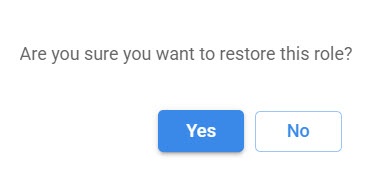
As a result, the role is restored.
We recommend assigning new roles to users before you delete a role. Otherwise, all users are assigned the default Operator role. |
To delete a role:
button next to the required role. button.
As a result, the selected role is deleted.