Configuration of the VI abandoned objects detection module includes general settings and configuration setup: determining the configuration parameters and detector characteristics.


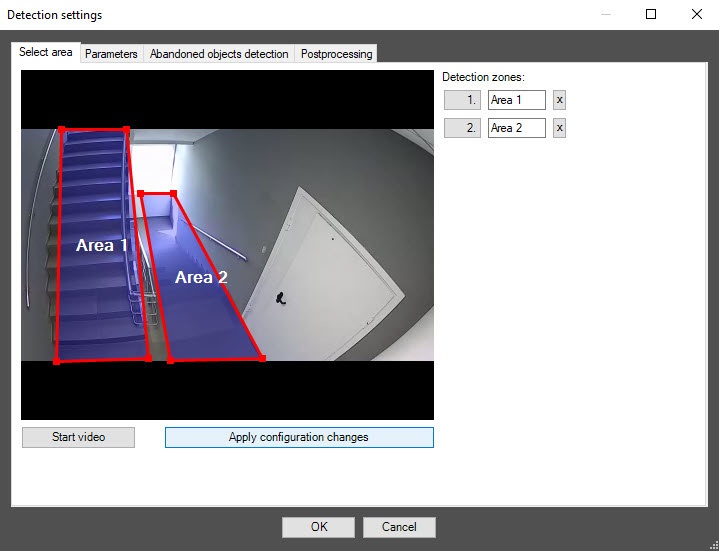
To delete a detection zone, click the If there are any incorrect zones among the specified ones, after you save and reopen the settings, only the correctly specified zones remain. If you specify only incorrect zones, they are automatically replaced with a default zone after you save and reopen the settings. After you delete all zones, save and reopen the settings, a default zone is automatically added. |
Starting with DetectorPack PSIM 1.0.1.330, a new SDK is installed. If detectors already created and running on the old SDK are upgraded to a new SDK, do the following on the Parameters tab:
|
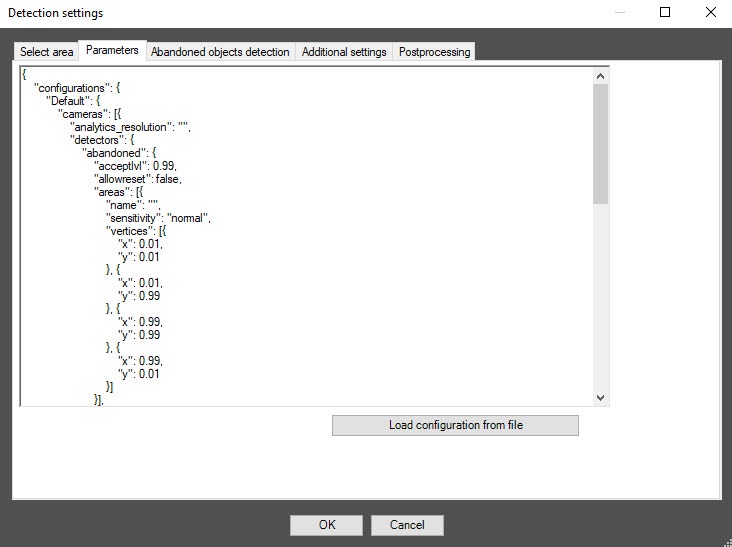

If you use the Background loading and Background saving parameters during initial configuration, you save time on automatic training at the first startup. |

To enable debug logging mode in the VI SDK and collect detailed information about the configuration of VI detectors, use the ViDetectorDebug=1 parameter of the HKEY_LOCAL_MACHINE\SOFTWARE\WOW6432Node\AxxonSoft\PSIM\DetectorExt registry key (for more details, see the registry key reference guide in Vertical solutions; for information on working with the registry, see Working with Windows OS registry). |
Configuration of the VI abandoned objects detection module is complete.
 button