If you select the unsupported data supplier, the window with the corresponding warning appears:
The idb.exe utility is used for administering the databases of Axxon PSIM. For information on how to use the utility for administering databases, see the Appendix 3. Axxon PSIM software database management section.
| When you work with the idb.exe utility, the Windows Firewall/ICS system service must be enabled. |
When you switch between databases using the Select data source drop-down list (see Description of the idb.exe utility interface), note that the specified connection parameters to the currently selected database are partially reset. This is due to the Microsoft security policy.
If you select the unsupported data supplier, the window with the corresponding warning appears: |
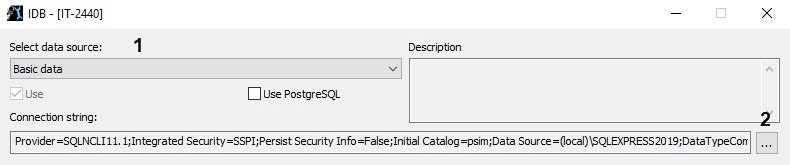
 button (2).
You can open the Edit Property Value window by left-double-clicking the property name. |
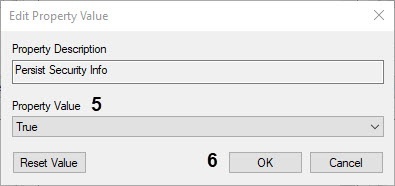
As a result, the next time you switch to the selected database, the connection parameters to it aren't reset.