
Object tracking allows a user to visually track the movement of objects in a camera's field of view or in a video recording in an archive.
| Object tracking is possible only if a situation analysis detection unit and/or an embedded detection unit is active (see the sections Situation Analysis Detection Tools and Embedded Analytics). |
Object tracking performs the following functions:
Motion is detected based on the time gradient of the video image’s difference between frames.
To enable object tracking, select Show tracking in the viewing tile context menu.
Object tracking functions will now be activated.
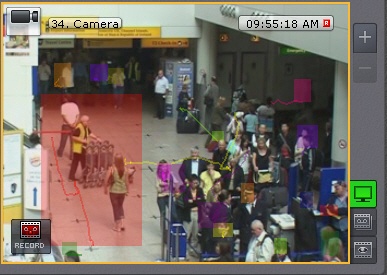
To disable object tracking, click Show tracking once again in the viewing tile context menu.