
Go to documentation repository


Page History
...
- Run the ddi.exe utility (see The ddi.exe utility for editing database templates and external settings files).
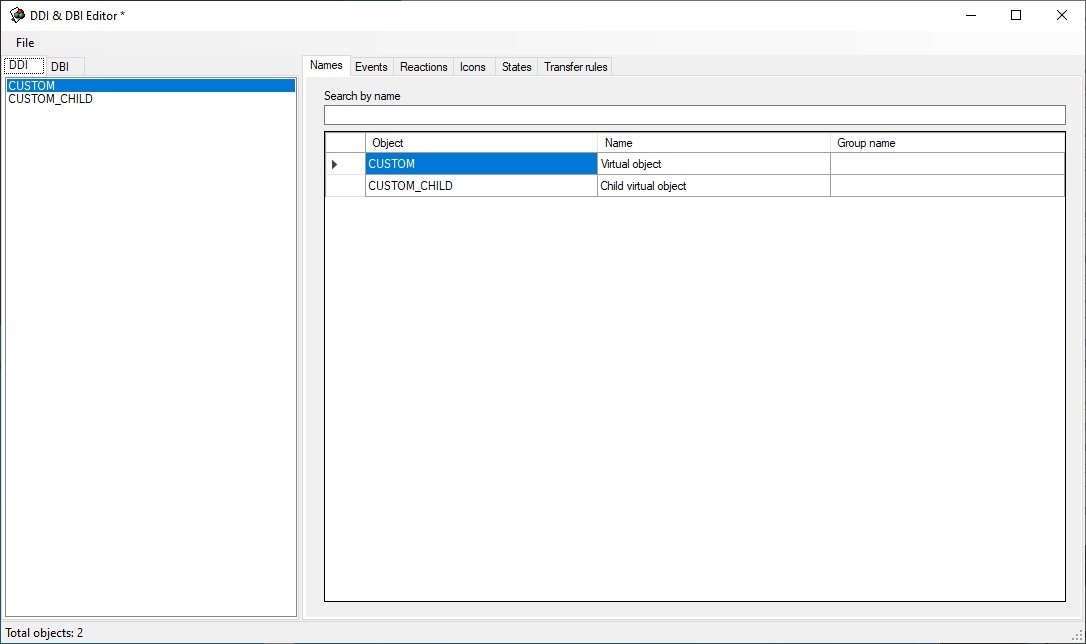
- Create CUSTOM and CUSTOM_CHILD objects in the DDI tab, as shown below.
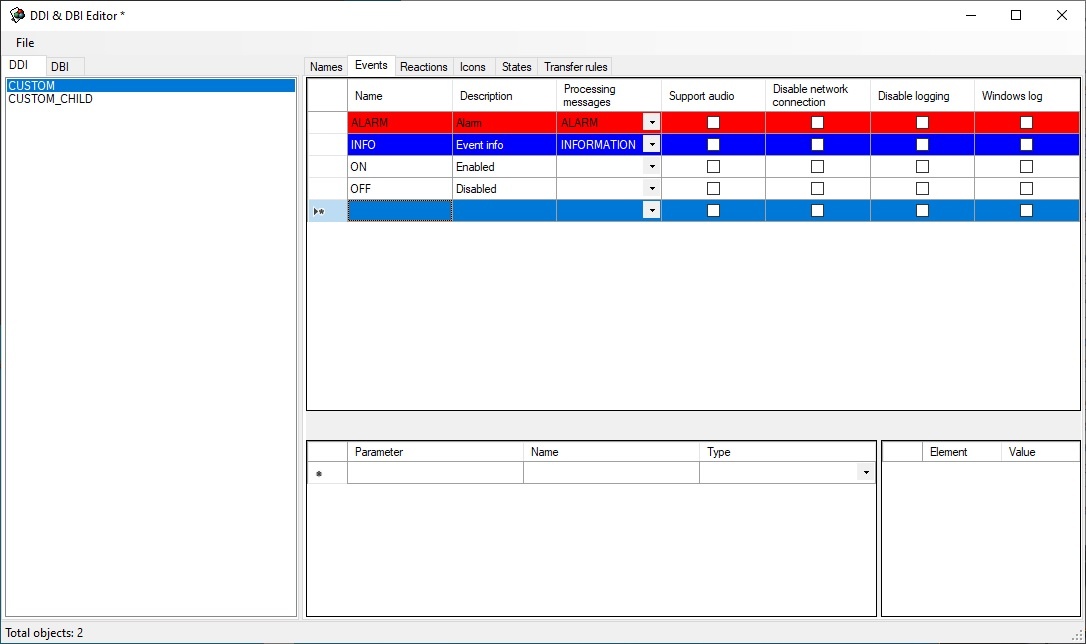
- Go to the Events tab and configure events that must be supported by the object (see the figure).
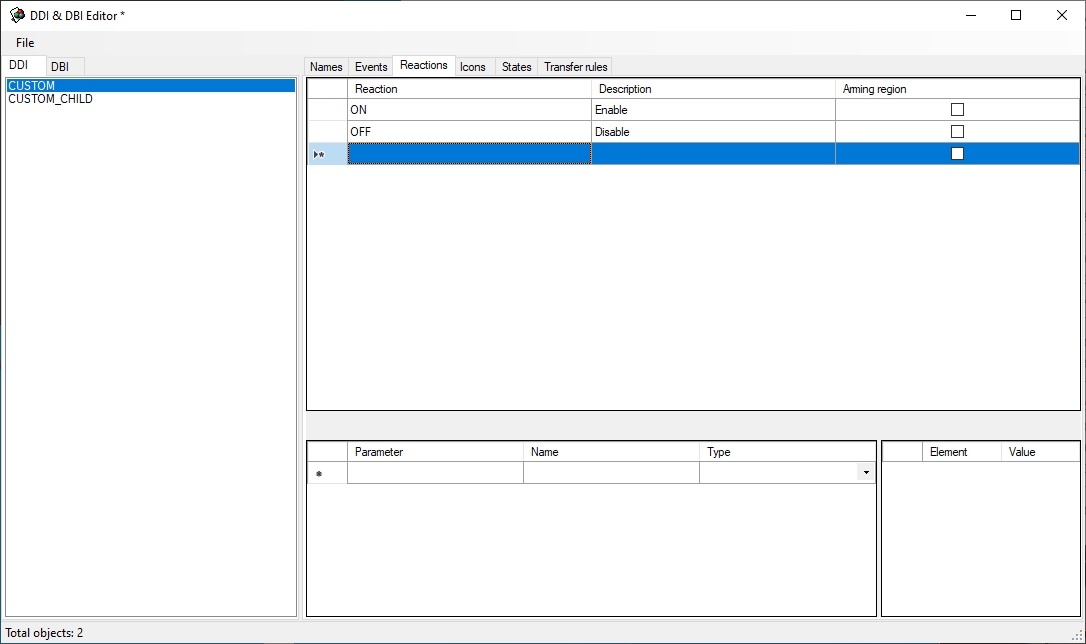
Go to the Reactions tab and configure reactions that must be supported by the object (see the figure).
Info title Note Reactions of virtual custom objects are automatically converted into events. In other words, a virtual custom object automatically generates an event when there is a reaction.
Go to the States tab and describe the states that the object can take. Here there are two states—ON and OFF.

Info title Note The postfix of file name is specified in the Image column—the image that is stored in <Axxon PSIM installation directory>\Bmp. For instance, these will be custom_off.bmp and custom_on.bmp files (corresponding to ON and OFF states) for CUSTOM object. These files will be used by the map module. - Go to the Transitionrules tab and set the object state change logic.
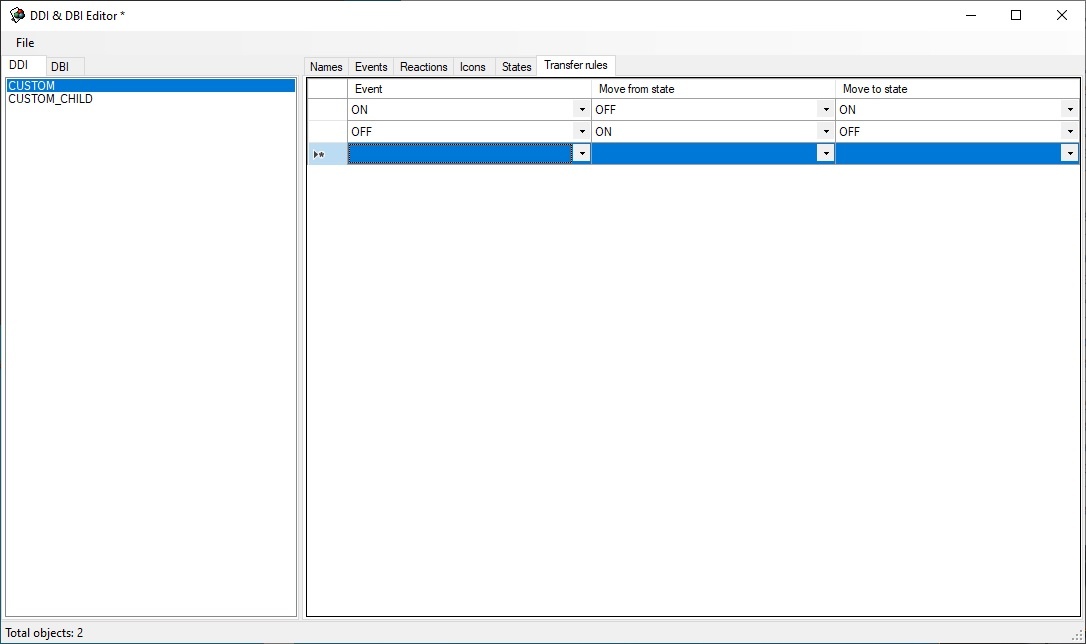
Transition rules is a simple state machine—an event is an input action and a state is a result.
An unconditional transition is used in this case: if CUSTOM||ON event is received, then there is transition to the ON state, if CUSTOM||OFF event is received, then there is transition to the OFF state. - To save changes use the Save command in the File menu. The saved file must have the ddi extension and be stored in the folder corresponding to the required language, for example, C:\Program Files (x86)\Axxon PSIM\Languages\en\psim.custom.ddi.
...
Overview
Content Tools