
Go to documentation repository


Page History
The Monitoring PSIM software is installed as a part of the IntellectAxxon PSIM software. Information about compatibility of the IntellectAxxon PSIM software versions and Monitoring is PSIM is presented in the Obsolete. the General information about product releases and versions compatibility section.
To install Monitoring PSIM software in the Additional Additional workplace of CSC configuration, do the following:
- In the root directory of the distribution package, run the setup.exe executable file.
- To continue the installation process, click Next.

- Read the terms of the license agreement carefully. Then set the radio button to I accept the terms of the License agreement and click Next.

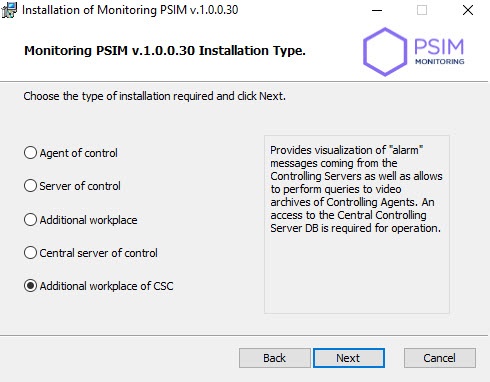
- Set the Additional workplace of CSC installation type and click Next.
- Select the database MS SQL Server and specify the authorization parameters for connection. For details, see Installation of INTELLECT™ Axxon PSIM™ software as a Server/Remote administrator workplace. To To continue the installation process, click Next.

In the Database field specify the name of the database or select it on the right part of the window in the list of databases, which are created in the server, and click <<. Then click Next.
Info title Note By default, the name of the database is "MonitorSSTV" ServerSSTV and its files will be stored in the SQL Server folder.

Specify the export catalog path. This catalog will contain video data received from Agent of Control. Click Next.

Specify IP-address and port for connection to Central Server of Control communication module CentralNetServer. Click Next.
Info title Note. It is strongly recommended to change default Export catalog path and IP address on steps 67-78. Otherwise, after the installation is completed, it will be necessary to configure Additional workplaceof Workplace of CSC (see Configuring Additional workplace and Additional workplace of CSC).

- Click Install to start the installation process.
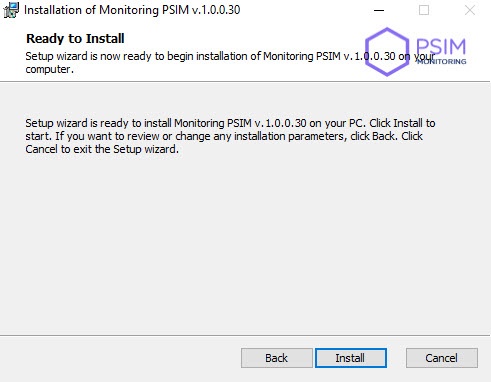
- As a result, the necessary components of the Monitoring PSIM software package will be copied to hard drive of your computer.

- After all software components are successfully copied on your hard drive, the message about the completion of the installation process will be displayed. Click Finish.

Installation of Additional workplace of Additional workplace of CSC software is complete.
Overview
Content Tools