


Page History
...
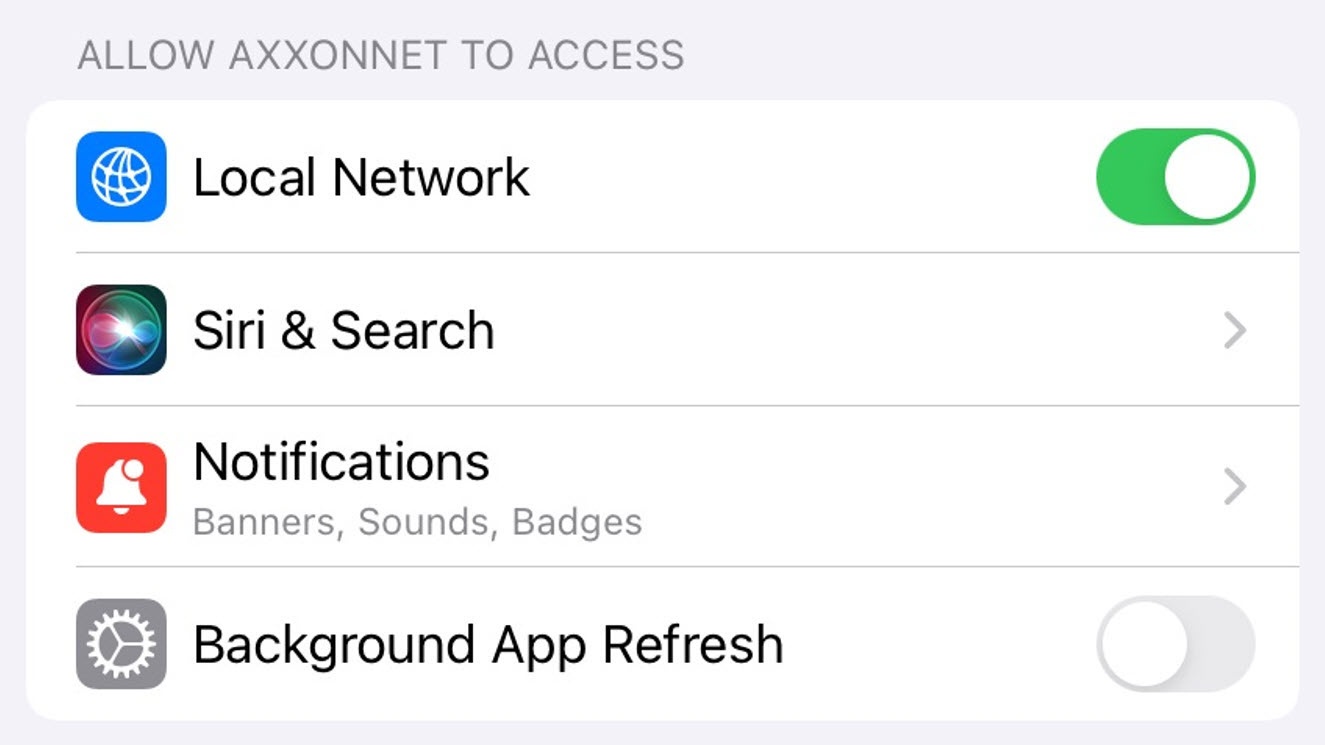
The permissions are configured in the ALLOW AXXONNET TO ACCESS section in the following way:
- Select the Location parameter (1) to parameter to go to the sub-menusubmenu:
- Never - the mobile client will not use the geolocation.
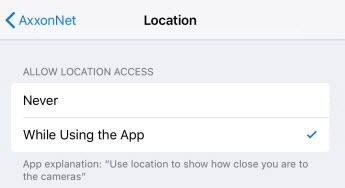 Ask Next Time - the mobile client will not use the geolocation. The next time you open the app, you will be asked about the geolocation usage permission.
- While Using the app - the mobile client will use the geolocation only when the app is running.
- Select the Photos parameter to go to the submenu:
- Never - the access to the camera of a mobile device, as well as saving the frames and video clips will not be allowed.
- Read and write - the access to the camera of a mobile device, as well as saving the frames and video clips will be allowed.
- Enable the Local Network Enable the Camera (2) parameter if it is necessary to allow access to the camera for QR-code reading capabilitygive permission to search for devices in the local network.
Select the Siri & Search (3) parameters to proceed to sub-menu parameters to go to the submenu:
Enable Siri & Suggestions parameter (1) if if it is necessary to give the Siri -Voice Assistant and search functions voice assistant, the Search suggestions, and Find suggestions the access to the AxxonNet iOS mobile client.
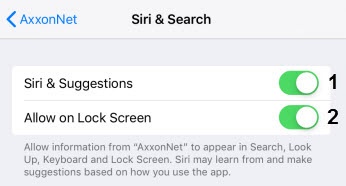
Enable the Allow on Lock Screen (2) parameter parameter if it is necessary to give permission for displaying the info related to the AxxonNet iOS mobile client on the lock screen.
- Select the Notifications parameter to go to the submenu where it is necessary to configure the app notifications (for details on configuring the notifications on iOS, see Use notifications on your iPhone, iPad, and iPod touch).
Enable the Background App Refresh (4) parameter parameter if it is necessary to give the permission for app operation in the background (when the app is minimized).
...
.