
Go to documentation repository


Each camera added to the Video Surveillance Monitor can be assigned with two macros (see Selecting and configuring video cameras and Creating and using macros).
Rut the macro from the Video Surveillance Window functional menu:
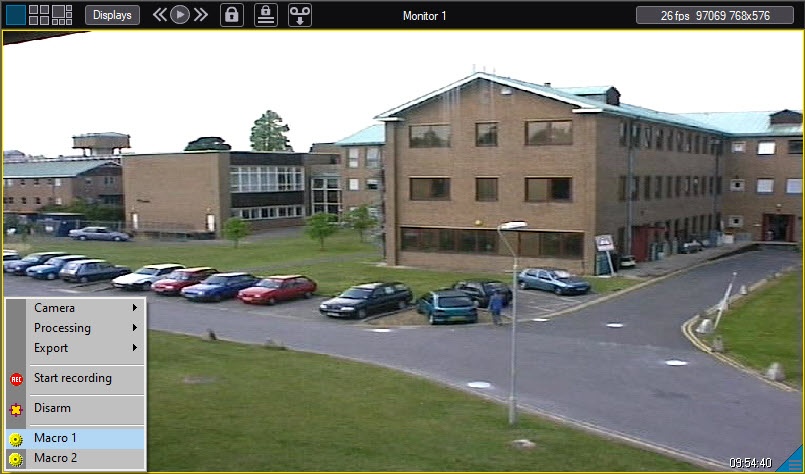
Those menu items may not display if no macros were added to the camera when adding it to the Video Surveillance Monitor.
Overview
Content Tools