
Go to documentation repository


To create the Intercom Control Monitor object, do the following:
- Select the Display object on the Interface tab of the System settings dialog box.
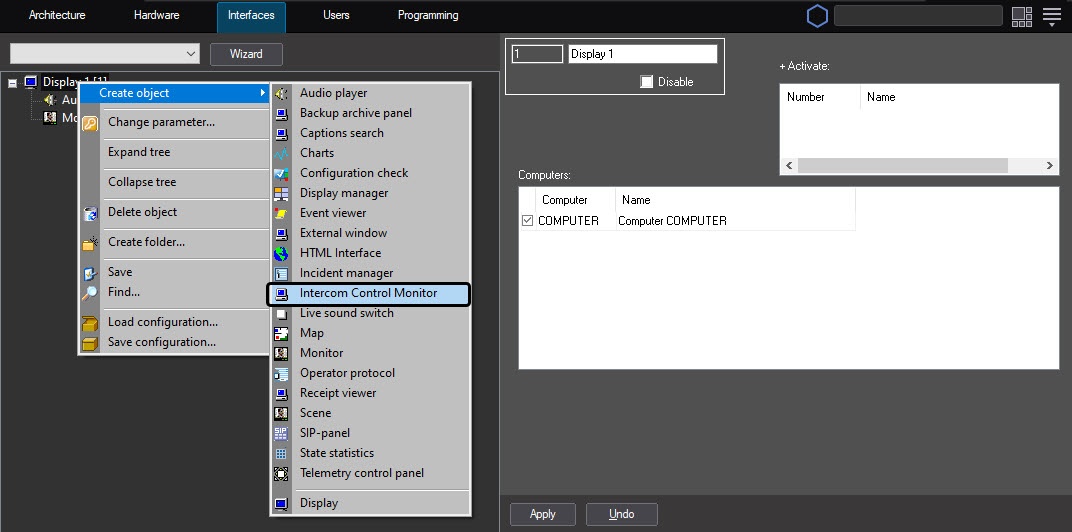
Click the right mouse button on the selected Display object and choose the Create objects - > Intercom Control Monitor item from context menu.
In the opened box enter the number and name of the Intercom Control Monitor object and then click Apply.
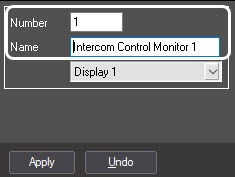
Note.
As a result the settings panel of created object will display.
Creation of the Intercom Control Monitor object is completed.
Overview
Content Tools