
Go to documentation repository
Documentation for Axxon One 2.0 version. Documentation for Axxon One 3.0 version is also available.

You can disable the preview of alarm events in the surveillance window.
To do this, do the following:
- Go to Settings → Options (1) → User Interface (2).
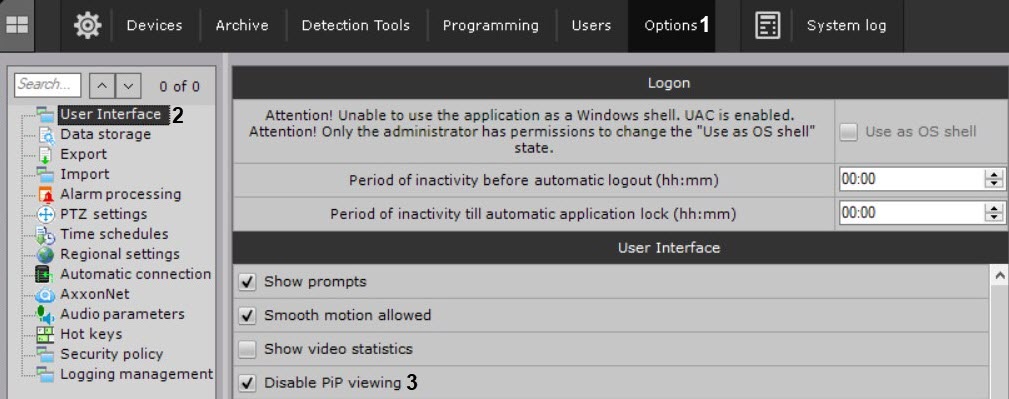
- Set the Disable PiP viewing checkbox (3).
- Click the Apply button.
Preview of alarm events is disabled.
Overview
Content Tools