
Go to documentation repository


To save the dialog box form, follow these steps:
- Select File, then click Save (1) or Save as… (2) to save the file under a new name.

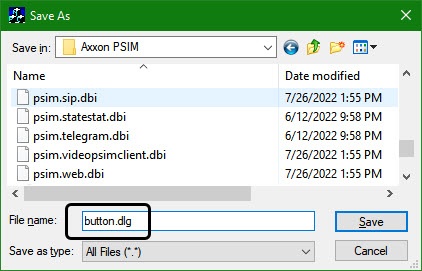
- Using the standard save file dialog, save the file with a .dlg extension [suffix].
Note.
The file extension should be entered manually in this case.
Important!
In order to have access to the saved dialog form file in Axxon PSIM, it should be saved in the following folder: <Path to installation directory of Axxon PSIM>/Program.
Saving the dialog bog form is completed.
Overview
Content Tools