
Go to documentation repository

Documentation for Intellect 4.11.0-4.11.3. Documentation for other versions of Intellect is available too.
Previous page Next page

The Activity tab displays the computers with the Agents on which the update is in progress or completed, as well as the computers on which the update is scheduled:
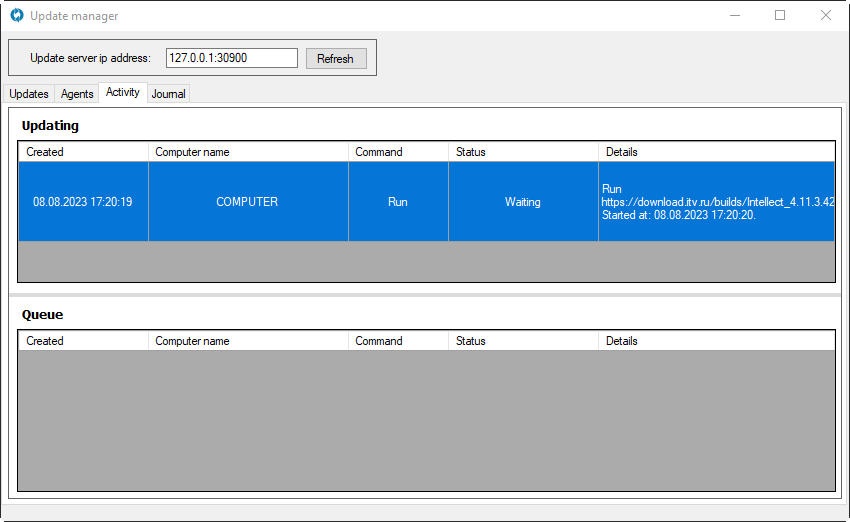
The following information is displayed for each operation:
- Created—date of creation.
- Computer name—name of the computer with the installed Agent.
- Command—type of an operation. Options:
- Run—start the update,
- Restart—restart the computer,
- StartProduct—start Intellect.
- Status—status of the update downloading. If the update is in progress, Downloading and the download percentage will be displayed.
- Details—details about an operation. The details depend on an operation type, can be the following:
- Error—error and its description,
- Started at—start time,
- Completed at—completion time,
- Duration at—duration,
- Status:Running—update is in progress, Finished successfully—update is successfully completed, Canceled—operation was canceled by an operator, Faulted—failure or error during operation execution.
Note
The height of the Updating and Queue tables can be adjusted by dragging the gray bar between them.
Overview
Content Tools