
Go to documentation repository


To view the camera and archive statistics, click the  button in the top right corner and select Statistics Panel.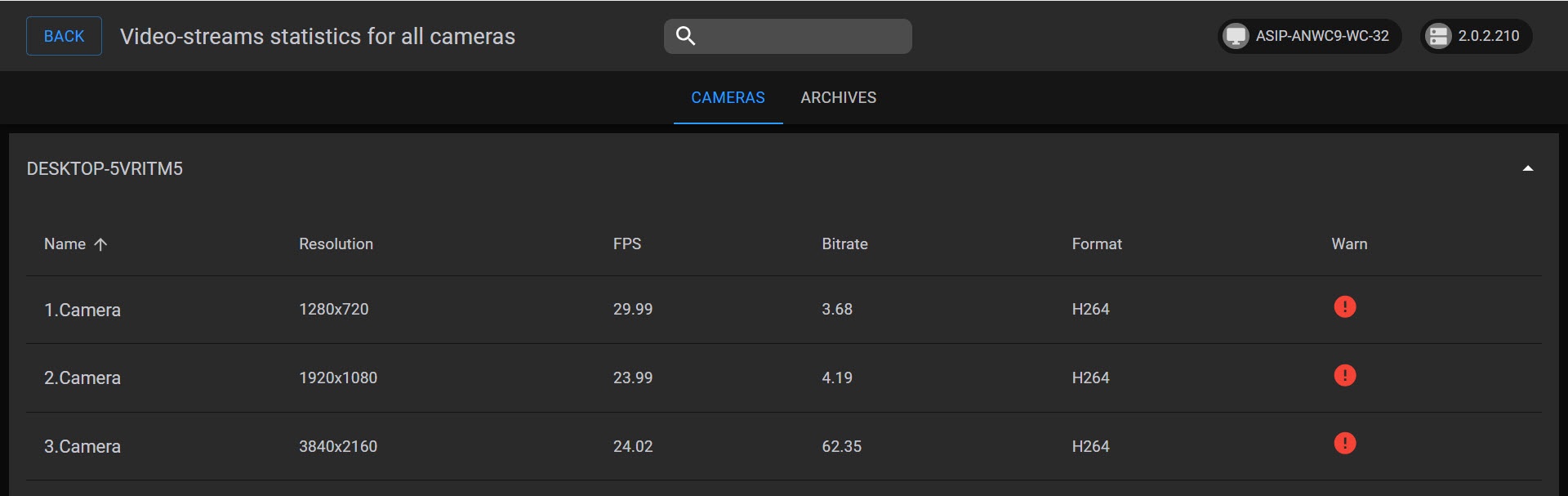
On the CAMERAS tab, the following information is displayed for each video stream of each camera:
- resolution;
- frame rate;
- bit rate;
- format.
If the bit rate exceeds the expected value, and there is more than 1 Mbit per megapixel, the stream is marked with the  icon.
icon.
If the bit rate exceeds the expected value, and there is more than 2 Mbit per megapixel, the stream is marked with the  icon.
icon.
Attention!
The statistics update period (timeout) depends on the FPS (maxFPS) parameter specified on the server:
- If FPS (maxFPS) > 0, the update occurs every 1000 / FPS (maxFPS).
- If FPS (maxFPS) = 0, the update occurs every 60 seconds.
You can request data by using the GetStatistics command that is represented as the average value throughout this interval.
Example: if FPS (maxFPS) = 25, statistics are updated once every 40 seconds.
By default, the cameras on the CAMERAS tab are sorted in ascending order of name, but you can also sort them by resolution, frame rate, bit rate, format, or warning in ascending or descending order. To sort cameras by a certain parameter, hover the mouse pointer over the name of the parameter and click the  arrow. If you sort in ascending order, the arrow is displayed; in descending order, the
  arrow.
Note
The upper right corner displays the Axxon One server and Web-Client versions.
On the ARCHIVES tab, the following information is displayed for each archive: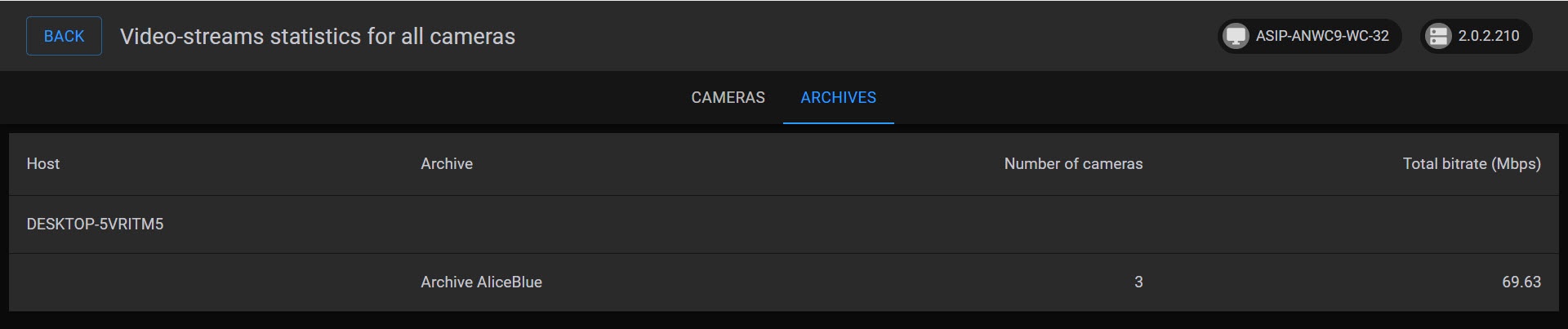
- archive name;
- number of linked cameras;
- cumulative bit rate of linked cameras.
To return to the previous page, click the BACK button in the upper left corner.
Overview
Content Tools